
School Messaging System
Improve family and learner engagement with Edulink One’s integrated messaging system and push notifications. It is highly customisable, so you can set it up around the needs of your organisation. Instant paperless communication can also reduce printing and postage costs.

 Back to Explore Features
Key Benefits
- Instantly communicate with families, learners and colleagues at an individual, group or organisation-wide level.
- Send messages via push notifications, email or SMS.
- Write once and let each family read the message in their own language with language translation.
- 2-way messaging lets families and learners reply to messages from staff.
- Accessible on any device for easy access 24/7 using the Edulink One app or a browser.
- Create personal and organisation-wide message templates with merge fields.
- Create groups on a user level, enabling targeting messaging.
- Schedule messages in advance and easily see if messages have been read.
- Set up automatic notifications such as homework reminders, detentions and missing registers.
- Save on printing, postage and SMS costs by distributing letters, notices, forms and school reports electronically.
- Reduce per message SMS costs by choosing your own SMS gateway (2-3p per SMS).
Messaging – Teacher View
Edulink One messaging is intuitive to use. Create, view and archive messages like a traditional email system. See how they were sent (SMS, email, push) and if they’ve been read. Emailing a class or their parents and carers becomes a doddle. Personalise messages with templates and merge fields, and build groups of contacts in a few clicks, whether it’s a whole year, a single family or a group of colleagues. You can keep contact groups and templates for your own use or make them available across your organisation. Set up messages in advance using the schedule function. If some contacts do not have the app or an email address, Edulink One’s messaging system lets you send an SMS instead. No mobile or email details? Export them and send a letter home so you can be confident your message will get there one way or another. Edulink One stores all messages as an audit trail and you can choose to log them in your MIS if needed. Simply archive messages you don’t need. You can even set communication priority preferences and assign temporary contacts so that guardians receive important communications if parents are away.
Messaging – Student and Parents View
Students and parents can create and view messages, just like staff, making it easy to improve engagement. Returning homework is simple using the attachment option. If you don’t want parents and/or students to contact staff directly, you can customise the messaging function, allowing them to reply to messages only. You can specify reply addresses too.
Reach every family
Write a message once and let each family read it in their own language. Edulink One supports nine languages, with more to come, and provides right-to-left layouts for languages such as Arabic and Urdu so messages read naturally. Explore language translation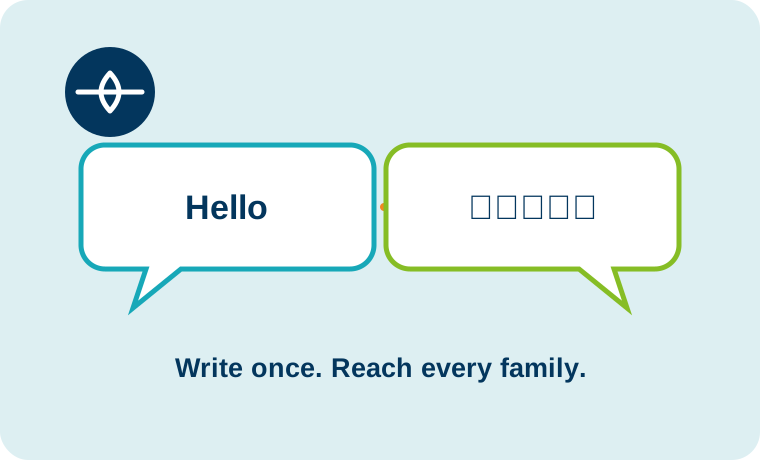
Notifications
Edulink One lets education organisations set automatic notifications to make everyday communication run more smoothly. Set up reminders for homework set and due, behaviour points, achievement points, detentions, room or resource bookings, missing registers, absences and forms requiring completion. Notifications are received in the Messaging inbox so there’s no excuse for late homework anymore!
SMS providers
We don’t trap you into expensive SMS message costs. Edulink One’s school messaging system integrates with a range of providers so you can choose your supplier. Average costs tend to be 2-3p per message if you want a reply service. If you’re not worried about a reply service, we integrate with GOV.UK Notify, which gives eligible schools 5,000 free messages each year. Additional messages cost 2.27p each plus VAT (pricing as at July 2024). We currently integrate with the following systems but please ask if you don’t see yours here.- Clicksend
- GOV.UK Notify
- Cosmic SMS
- PageOne / Janet TXT
- Teachers2Parents
- ClickSMS

Discover more
Engagement features
Edulink One brings engagement, teaching and administration together in one easy-to-use platform for staff, learners and families. Explore more features to see how your team can simplify everyday work and keep information connected.


See how Edulink One could work for you
Tell us what you want to improve and we’ll tailor the conversation to your setting.