Reduce routine admin
Give staff one place to complete everyday work and find the information behind it.

One easy-to-use place for everyday work
Bring routine work, useful information and communication together so staff spend less time switching systems and families have one familiar place to stay connected. Use Edulink One on the devices your community already relies on.
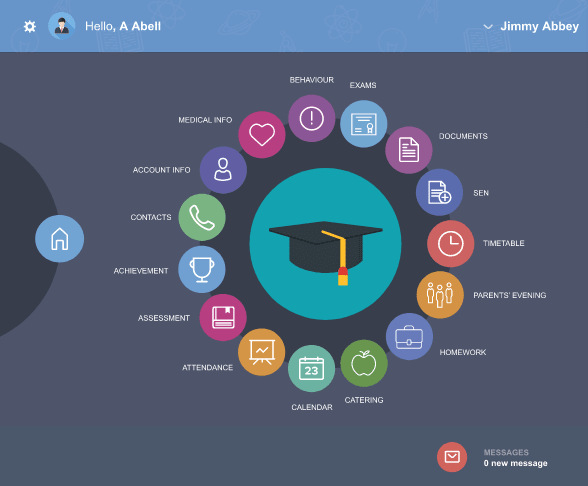
Give staff one place to complete everyday work and find the information behind it.
Connect work to the same underlying records so teams can act with more confidence.
Make messages and useful information easier for parents and learners to find and understand.
Teachers love the feature where the Pupil Premium, SEN and medical alert flags are shown on the register screen. That’s a great feature. It means that we’ve now got at our fingertips information on who is in our class and what we need to do to support them.
Edulink One is so much more than a parent portal. It has vastly improved our communications with students and parents and revolutionised our staff’s normal way of working – increasing efficiency and impact. We cannot imagine life without it now!
Edulink One really is a fantastic asset. It’s simple to use and ties so many activities/tasks from school life together in one place. The app has helped improve communication with parents and we’ve seen nothing but benefits from implementing it.

Edulink One covers three connected areas: Engagement, Teaching and Administration. Start with the problems that matter most to your organisation, then introduce more when you are ready.
Each person gets a straightforward app or web experience suited to their role, while organisations using a supported MIS benefit from read and write-back that helps records stay accurate.
Choose an area to see what's in it
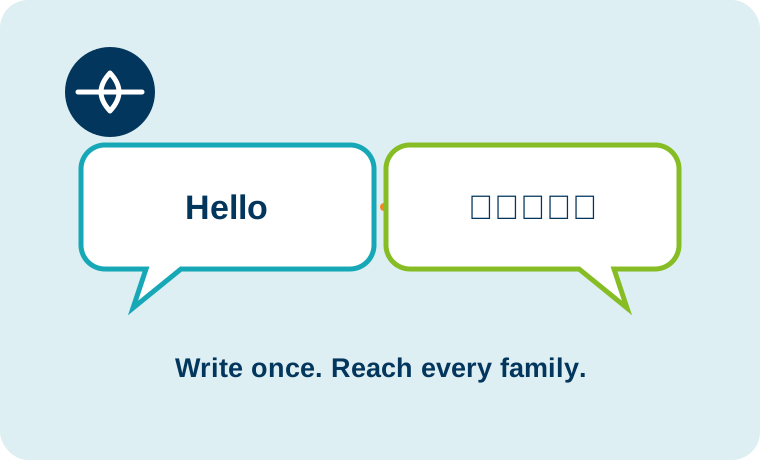
Write a message once and help every family understand it. Edulink One language translation lets each recipient read messages in their own language, helping parents and carers feel informed, included and connected.
Learn more
Give families a private window into your learning community. Edulink One Moments lets staff share images, videos, files and text with parents and learners, while the organisation stays in control of who can see them.
Learn more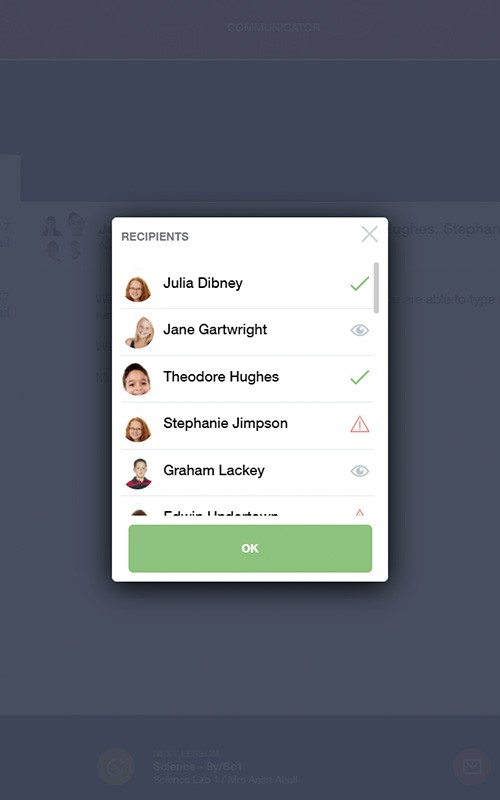
Improve family and learner engagement with Edulink One’s integrated messaging system and push notifications. It is highly customisable, so you can set it up around the needs of your organisation. Instant paperless communication can also reduce printing and postage costs.
Learn more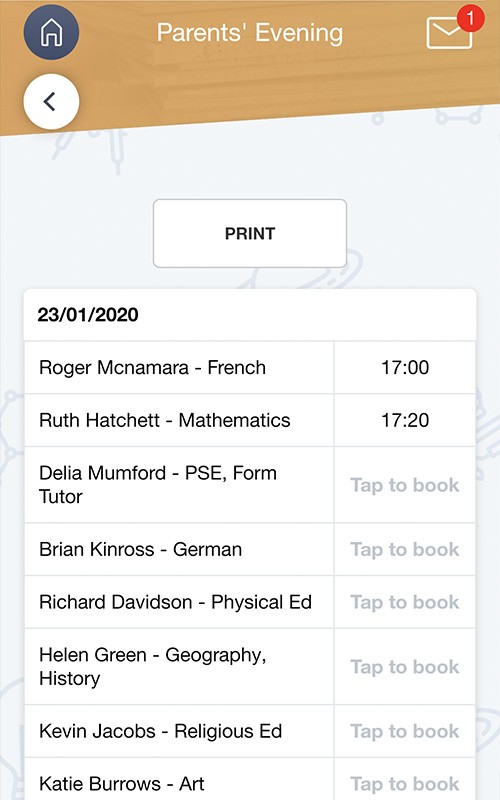
Make organising a parents’ evening hassle-free with Edulink One. You can set up face-to-face or online events, allocate timings and staff and give parents access to book via the app. Both staff and parents can print your event’s timetables and you can measure engagement levels by tracking parental attendance too.
Now available: NEW “guest” function on video events.
Learn more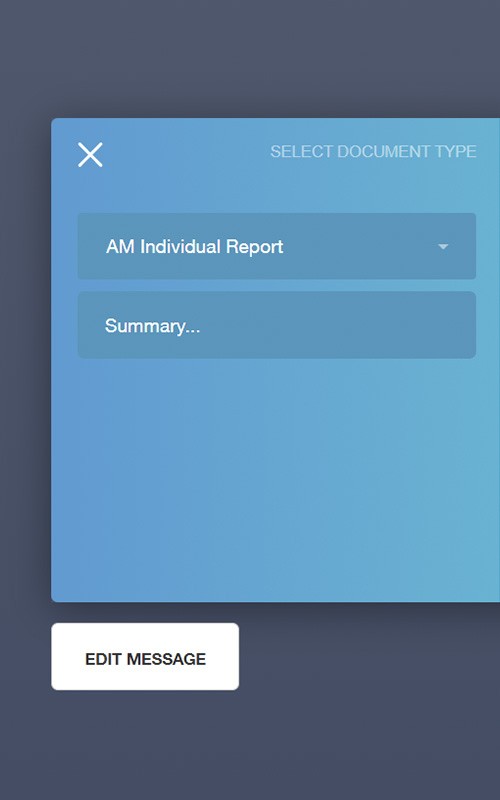
Improve parental engagement and improve staff efficiency by sharing school reports and key documents from your MIS with parents and staff in Edulink One. Plus you’ll save £££ on printing and postage costs too.
Learn more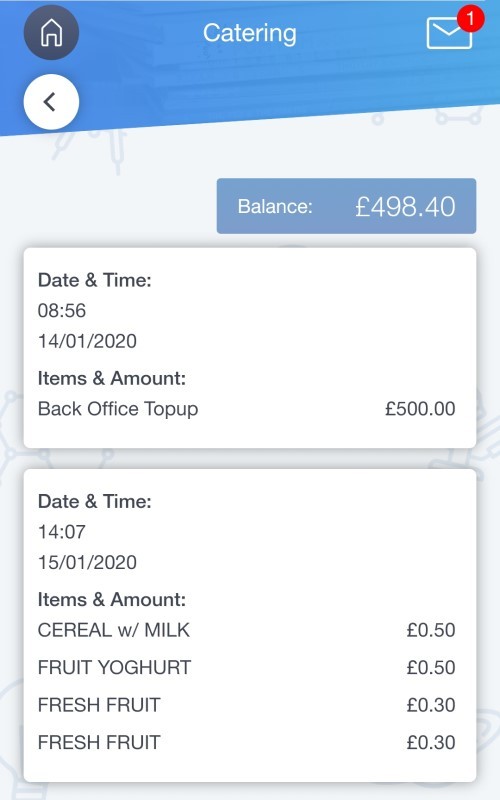
Edulink One seamlessly integrates with your organisation’s cashless catering system. This lets families, learners and staff view detailed account balances without logging into a separate system.
Learn more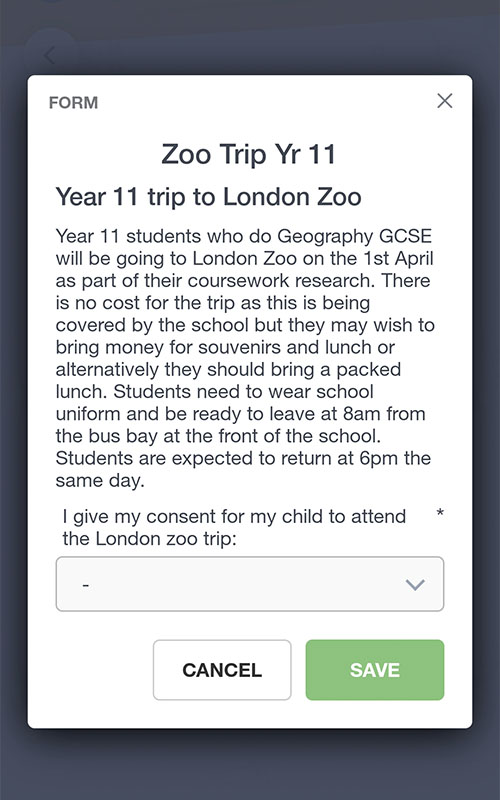
Never lose a permission slip again! Replace collecting paper forms and permission slips with Edulink One’s Forms system and save the huge admin headache. Staff can now issue letters to parents and pupils and collect the replies online.
Learn more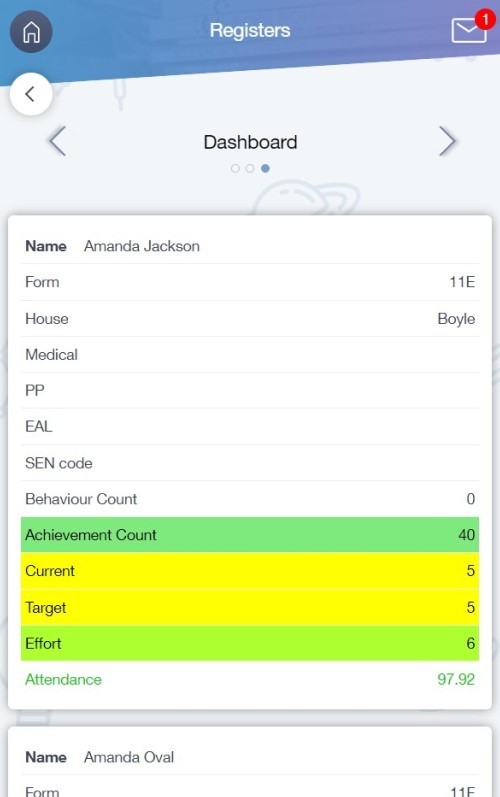
Class Dashboard gives staff an instant overview of their class’s key information. View behaviour, achievement and attendance alongside learner information tags, and customise the dashboard around your organisation’s requirements.
Learn more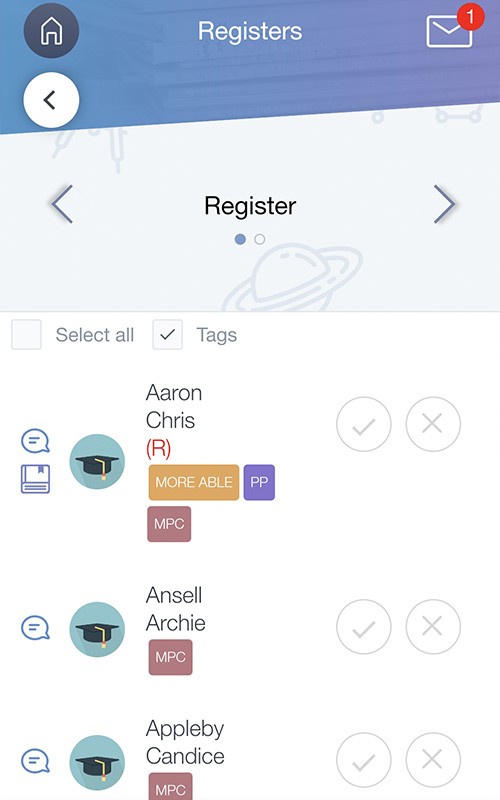
Take registers remotely with Edulink One on any device with internet access, solving the problems of taking PE registers or using Chromebooks and iPads. Quickly review absences and contact parents. Add notes on class behaviour and achievement and more importantly, no more paper records.
Learn more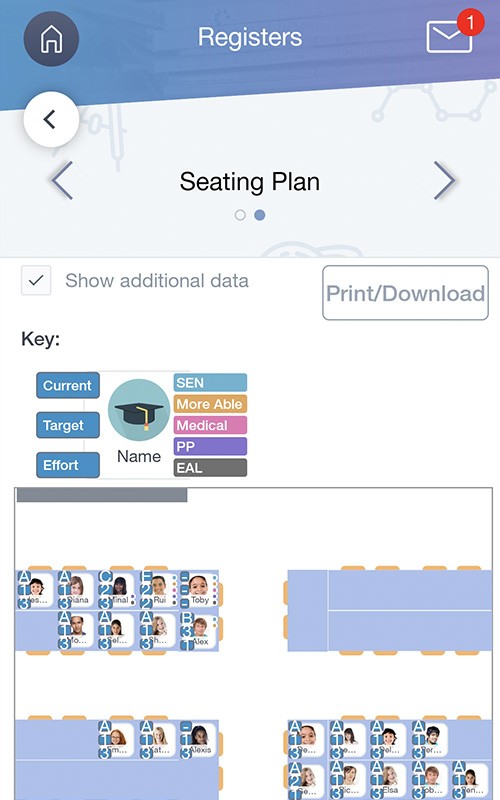
Seating plans are easily created within Edulink One, making designing your class layout a doddle. With an intuitive drag and drop interface, it only takes minutes to configure each classroom. Simply add your students who are labelled with key cohort, behaviour/achievement and performance data.
Learn more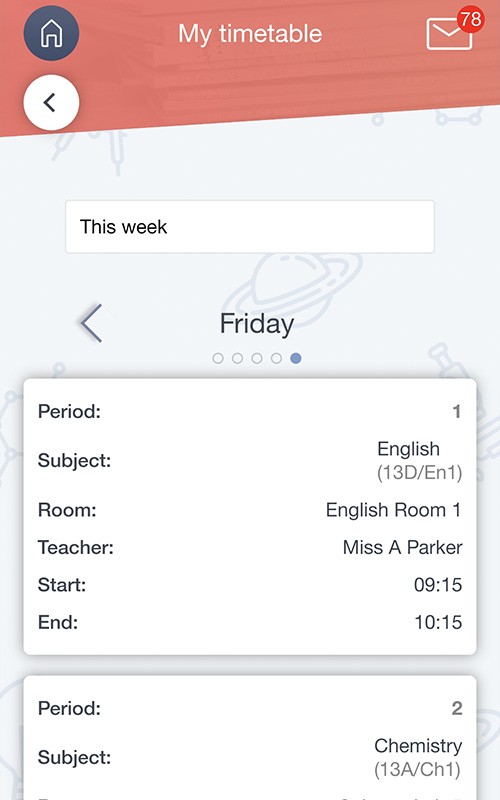
Always keep up with where you need to be and with what’s going on with Edulink One. And no more excuses for losing a timetable. Now and next is always shown on the Edulink One home screen for quick reference. Plus post all of your communications in the noticeboard area for everyone to access.
Learn more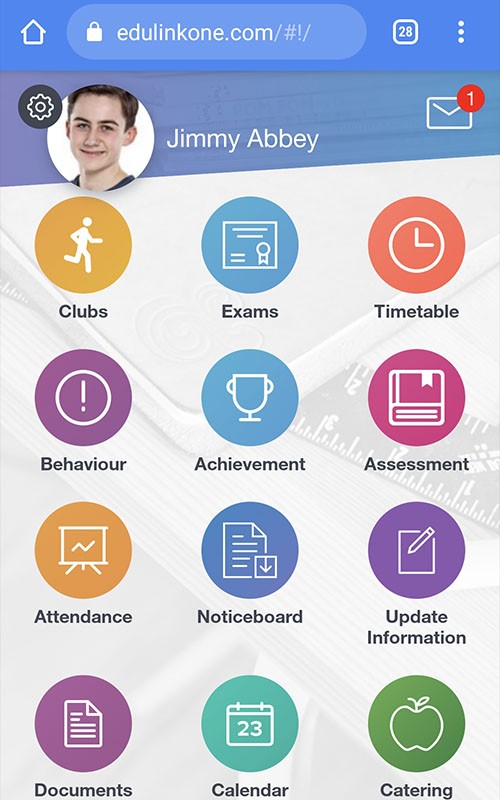
Set and record homework easily through Edulink One, allowing students, parents and staff to easily track what work is due as well as when it has been completed.
We can also make third party homework assignments from Google Classroom, Microsoft Teams and Moodle visible to parents as well as students.
Learn more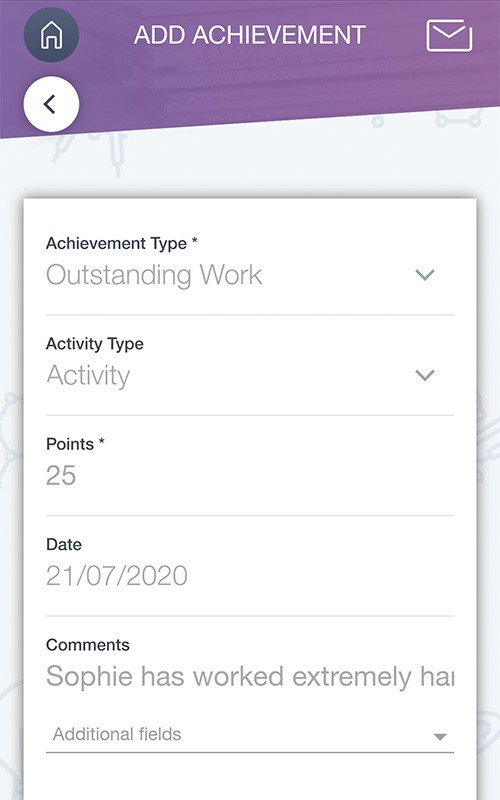
Rewarding achievement and managing behaviour is key to supporting students grow. Edulink One’s Achievement function facilitates positive reinforcement and celebrates success.
The Behaviour Management tool allows teachers to employ demerit points/sanctions and detentions where necessary, in order to manage unconstructive behaviour. There’s even an On Report function too, allowing you to ditch paper report cards.
Learn more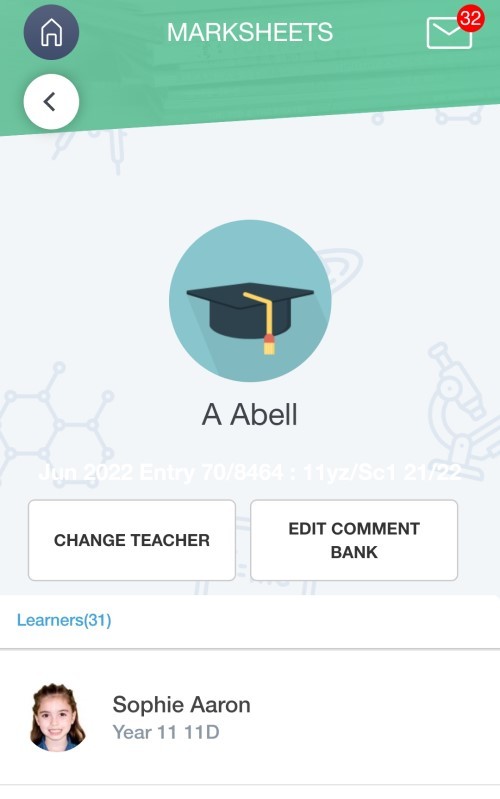
Make entering students’ grades into your MIS marksheets a quick job with Edulink One’s user-friendly system and comment bank that interfaces with your MIS. Save time and hassle, leaving you time to focus on more important jobs. Why not choose to share assessment data as well? Making it available in an accessible way can help improve parental engagement and end results.
Learn more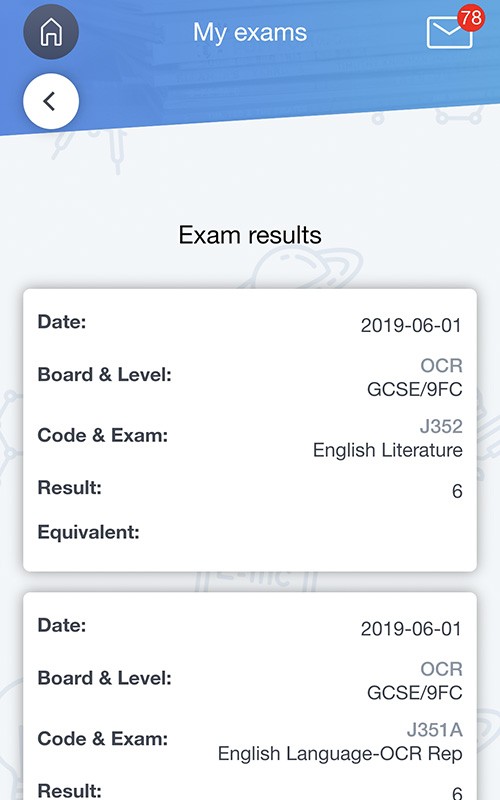
Take the hassle out of managing exam entries, timetables and results. No more excuses for forgetting timetables for exams, and make results available online via the app on a specific day and time. Engage parents and help them support their children by sharing access to exam information and results too.
Learn more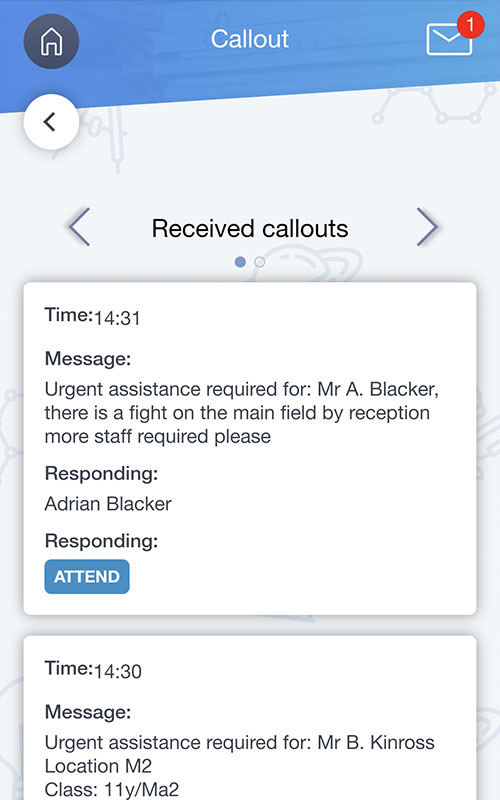
Edulink One’s Child Protection and Call Outs feature helps education organisations make and manage safeguarding referrals and request immediate assistance in the classroom.
Learn more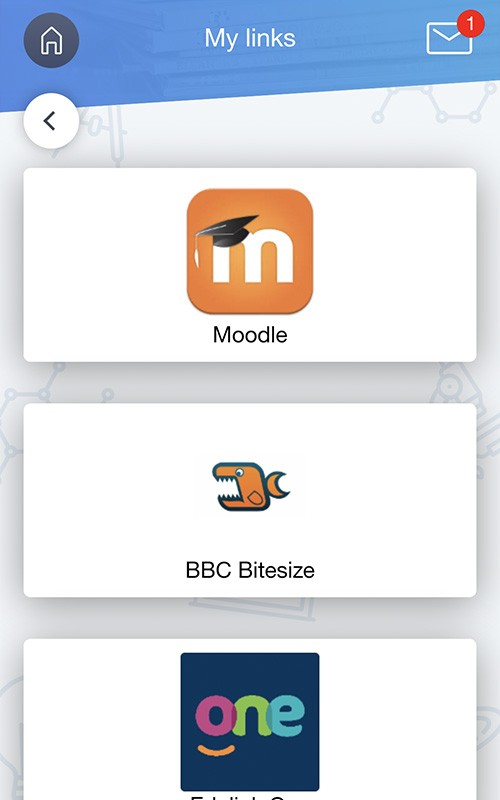
Resource Access in Edulink One lets your organisation link to additional resources, such as Google Classroom, BBC Bitesize or your own website, within the app. You can rename the feature to suit your setting, but it is often called Links.
Learn more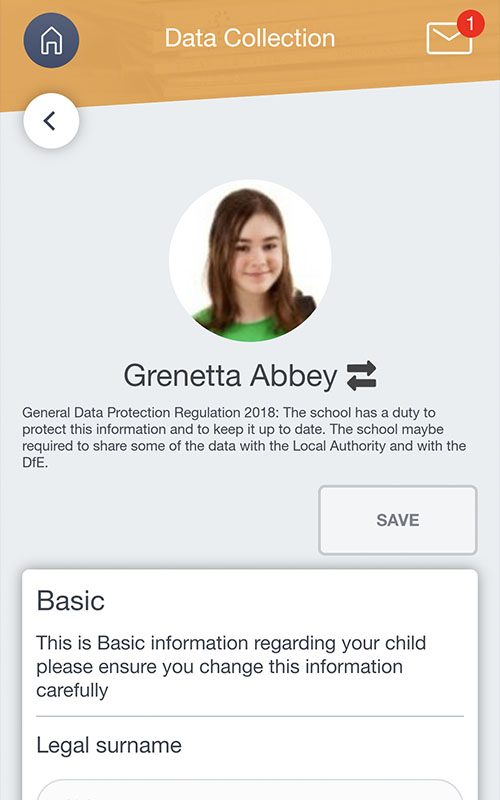
Collect and update pupil and parent data online - including for new admissions, and writeback to your MIS in a single click. Save hours of admin time and reams of paper with Edulink One’s data collection. Plus you’ll have more accurate data. What’s not to love?
Learn more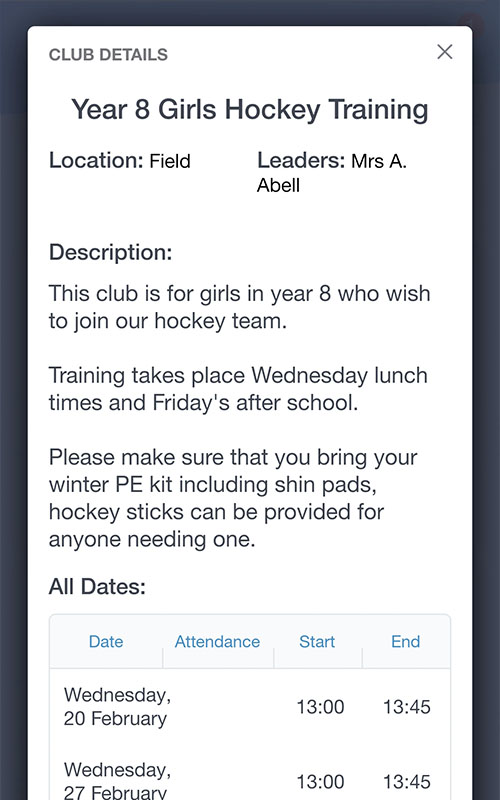
Take the hassle out of extra-curricular club management. Set up clubs, select cohorts and let families and learners book their chosen activities. Track and report attendance, view important learner data and share updates with families and learners.
With Edulink One’s club management, setting up a year 7, girls’ hockey club becomes a doddle.
Learn more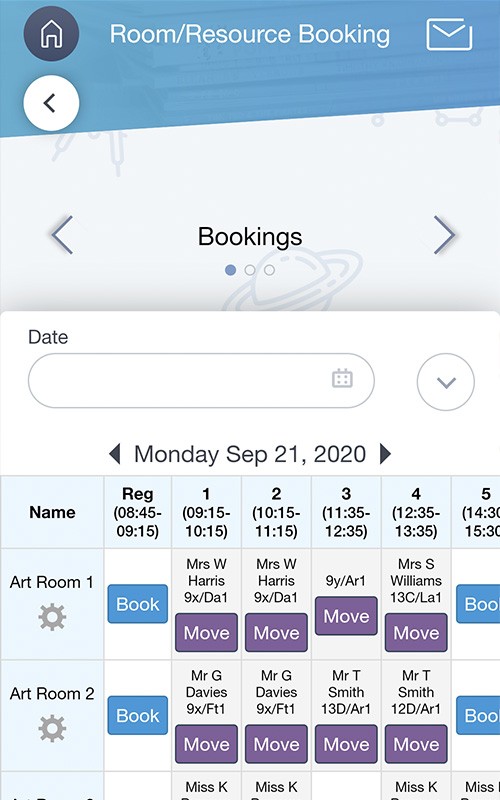
Stop wasting time finding available spaces and equipment. Edulink One’s Room and Resource Booking lets staff reserve rooms and resources across your organisation in a few clicks.
Edulink One is linked to your MIS timetable so updates automatically and sends notifications of any changes.
Learn more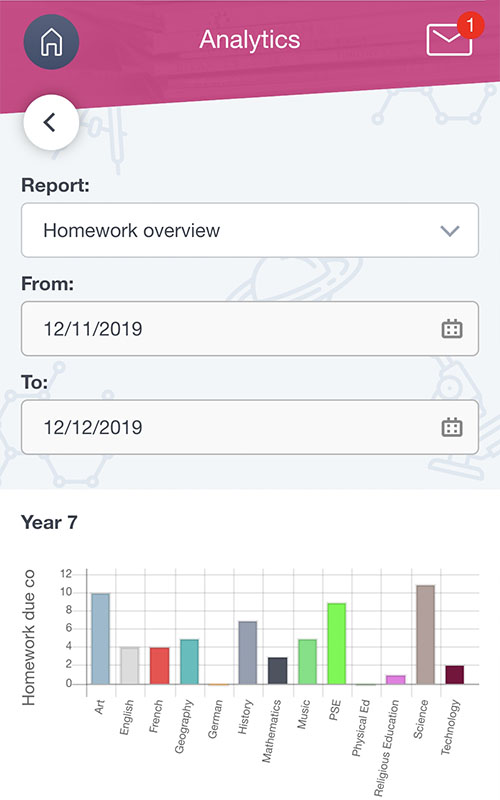
Introducing Edulink One’s Analytics! Instantly see a visual summary of key attendance, homework, extra-curricular clubs, behaviour/achievement, call-outs and document access data, most of which aren’t available in your MIS. Help to spot trends, make improvements and address issues early.
New! Attendance reporting
Learn more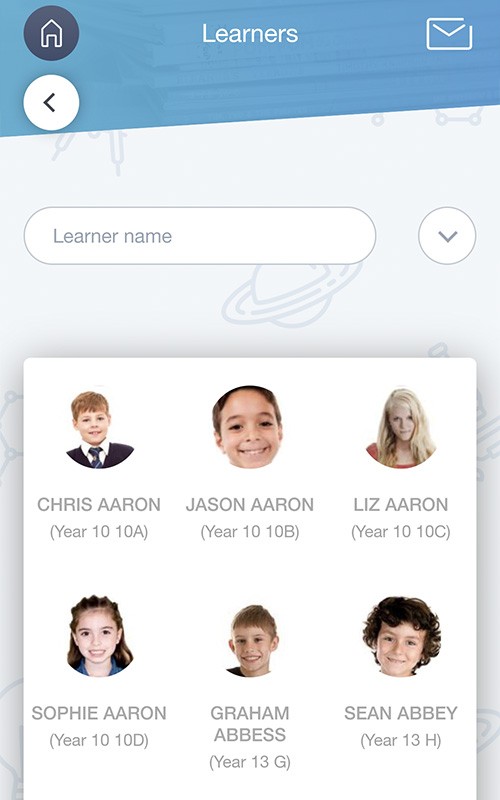
Get instant remote access to a learner’s data, including SEND strategies, anytime and anywhere. Help your organisation develop joined-up support for each learner, with assessment data, behaviour records, medical information and past reports together in one place.
Learn moreUse the interactive demo to look around as a teacher, parent or learner. When you want to discuss your own priorities and setup, book a tailored conversation with our team.
Sally Barfoot, SIMS Manager discusses how Edulink One has brought multiple benefits over their 4 year use of the system.
Gavin Stanger, Associate Vice Principal, discusses his reasons for embracing Edulink One and his favourite features.
Daryl Bond, Assistant Headteacher explains how Edulink One has revolutionised their parent portal and how the school uses data.
Network Manager, Rob Coles, explains how Hornsea School have used Edulink One to increase parental and student engagement.
Meinir McLellan, Swyddog Arholiadau & Rheolwr Data, Exams Officer and Data Manager explains how Edulink One has been revolutional for teaching staff, parents and the wider school team.
Rhys Froggatt, Director of eLearning explains how Edulink One has improved how staff interact with SIMS and supported safeguarding.
UCTC talks about why it has rolled out Edulink One and its ambition to use the platform across the school to replace the SIMS.net client.
Connect Edulink One to a supported management information system, or let Edulink One Plus work independently. Either way, your team gets one easy-to-use place for its day-to-day work.
If you use SIMS, Arbor, Bromcom or iSAMS, Edulink One reads and writes back to it so your records stay accurate and up to date.
Explore MIS integrationPlus stores and manages all the data Edulink One needs, so it can operate independently of another management system.
Discover Edulink One Plus
We understand the importance of accurate and up-to-date data. Edulink One integrates with SIMS, Arbor, Bromcom and iSAMS, with instant read and write-back. Overnet Data has developed our own speedy integration software to enable us to communicate with your MIS.
Find out moreEdulink One can be either cloud hosted or hosted within your organisation’s infrastructure. Irrespective of your hosting preference, data is encrypted in transit using TLS 1.2. You can read our Edulink One privacy policy here.
Find out moreOur currently published price for Edulink One connected to a supported MIS is shown below. Your setup, contract and the way you plan to use Edulink One can affect the final price, so we will always confirm a clear quote before you decide.
Edulink One Plus is £500 per organisation per year, plus £2.50 per pupil per year. Tell us about your setup and we will explain any setup, contract and support costs before you decide.
Share the power of Edulink One with your colleagues - download our brochure
Book a tailored demo and we’ll focus on the outcomes and workflows your team wants to improve.
Or give us a call on
01604 807545